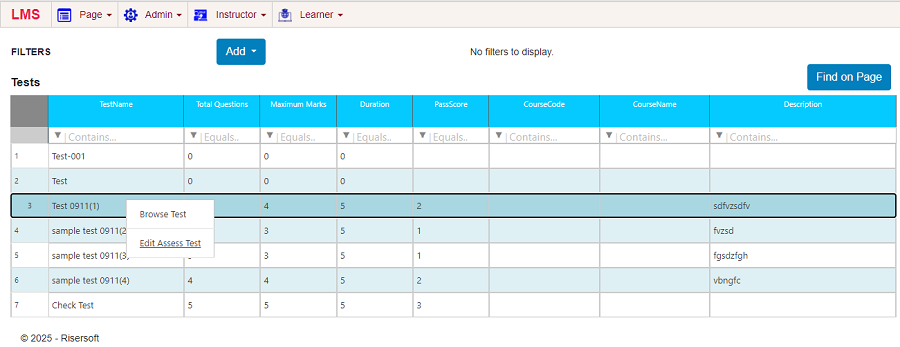
Test
Create Test
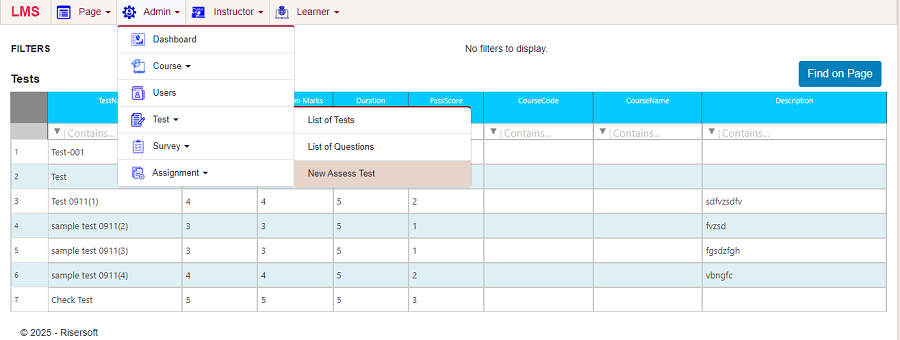
To create a new test, navigate Admin > Test > New Assess Test
Fill all the Details and Save, Test will be created
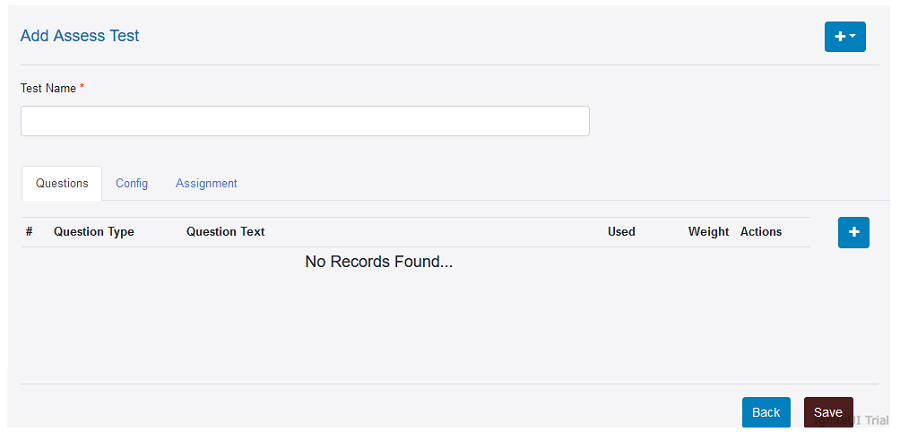
Questions: We can add various type questions under this tab.
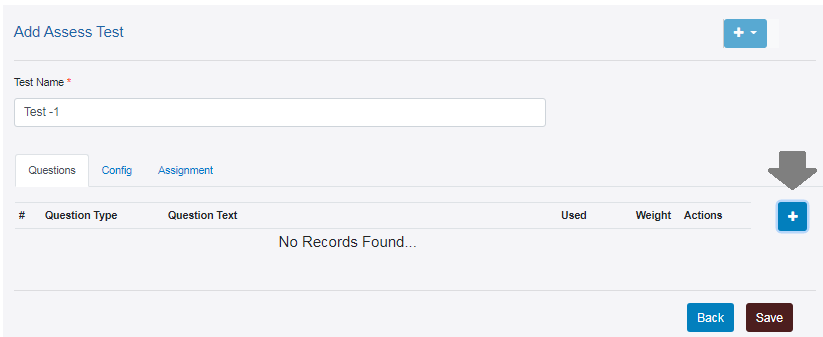
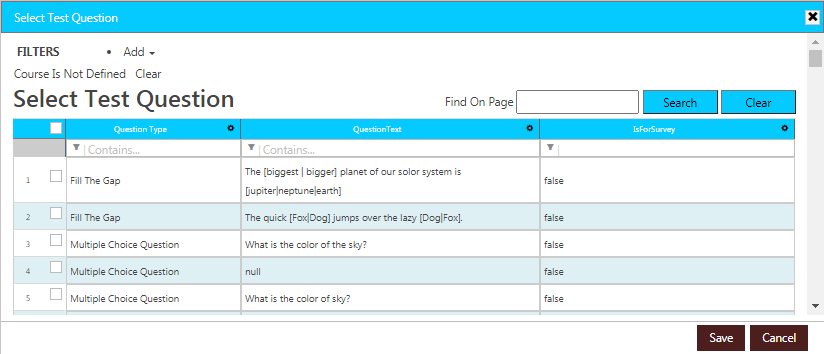
After click on + sign open this window. Now we can select question for created test and save it.
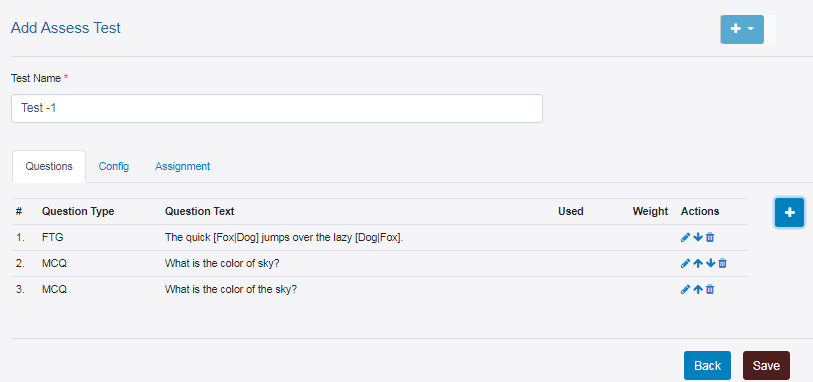
After saved selected questions, showing this we can also edit/delete question using mention key under action. if no change is require than save it.
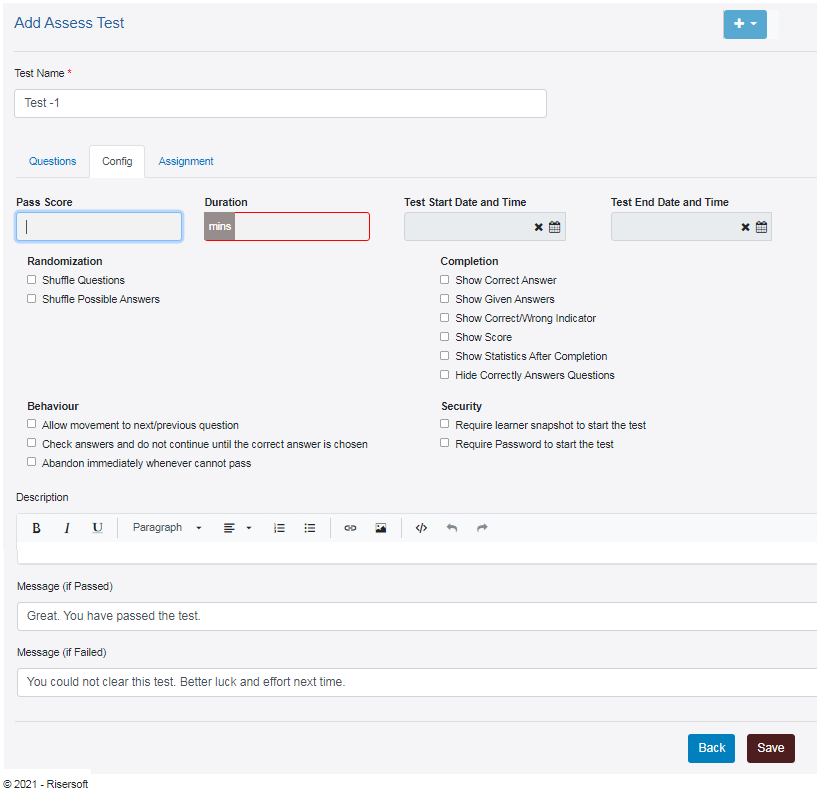
Config: We can set configuration for created test under this tab.
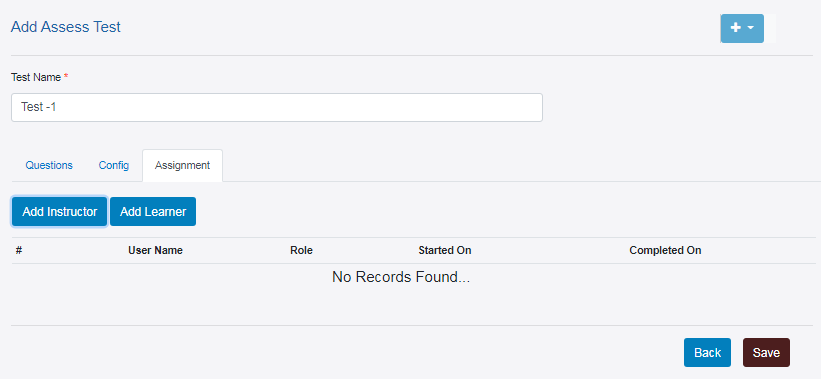
Assignment: We can assign created test to Instructor or Learner under this tab.
Browse Test
To browse a stand along test, navigate Test > Browse Test
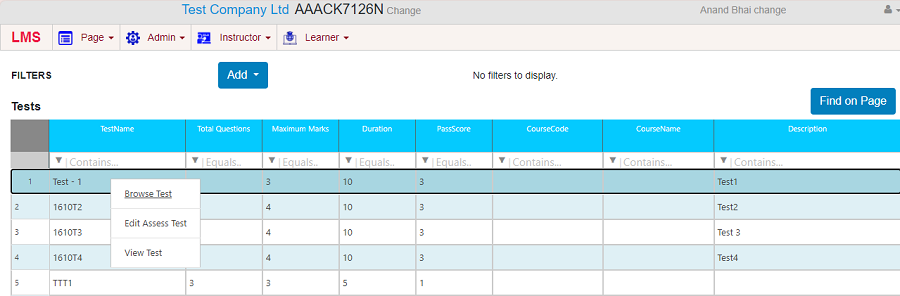
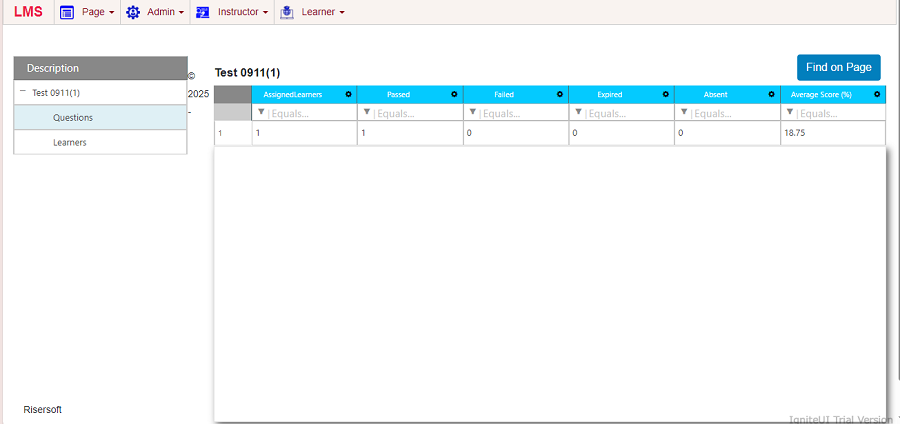
Browse Test Screen as an Admin to check the related information of a particular stand along test.
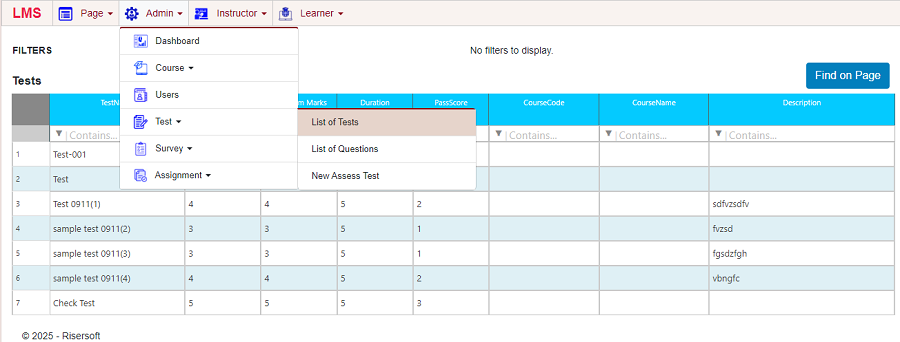
List of Tests
To view all the tests, navigate Admin > Test > List of Tests
Edit Test
To view all the tests, navigate Admin > Test > Edit Test