
Resident’s Request
List
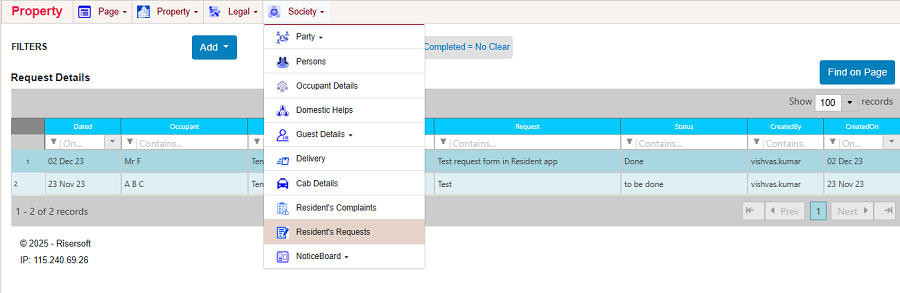
Step-1: Click on Society -> Resident’s Request. Request Request list will appear.
Edit
You can edit the request by following the given steps:
Step-1: Select the request that you want to edit from resident's request list.
Step-2: Right click on it and select Edit Request Details option. Request details will open. Request -> Click on Edit Resident Request option.Complaint details will open.
 Step-3: Edit the details and click on Save.