Subscription Life Cycle
Subscription Status
The subscription details page displays the details of the subscription along with its status. The following are various statuses of a subscription:
Created ( C) : Subscriptions that are yet to go into trial or active state on the specified date in the future.
Trial ( T ): Active subscriptions that are in trial mode.
Active (A): Active subscriptions that are charged based on plan, addons, and billing period.
Non Recurring ( N) : Subscriptions that are scheduled to cancel and will no longer renew.
Expired ( X) : Active subscriptions that are expired temporarily.
Transaction Type
T --> Try, B --> Buy, M --> Modify, C --> Cancel, X --> Extend, R --> Renew
Flow
- At Initial level, user opted Try or Buy purchase type. For Try(T) -> Status will be Trial (T) or Created (C). For Buy(B)-> Status will be Active (A) or Created (C ), Isautorenewal=true and provisiondate assigned.

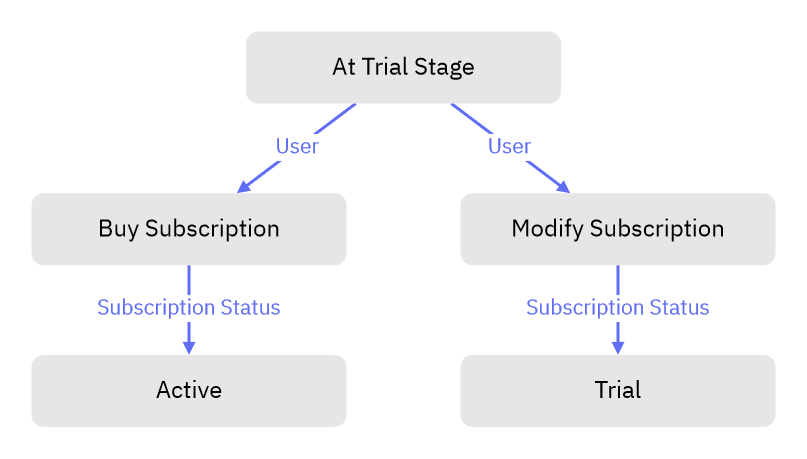
- At Trial(T) (Status) Stage, user can opt only two options:
Buy (B) -> then status will be active (A)
Modify (M) -> then status will remain same as trial (T).
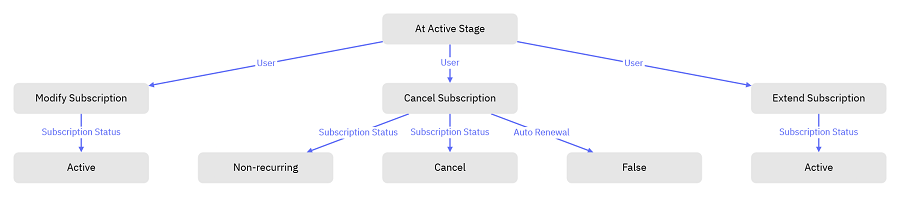
- At Active (A) (Status) Stage, user can opt following options:
Modify (M)-> then status will remain same as active (A).
Cancel (C) -> then status will be N or C (isautorenewal=false)
Extend -> then status will remain as A.
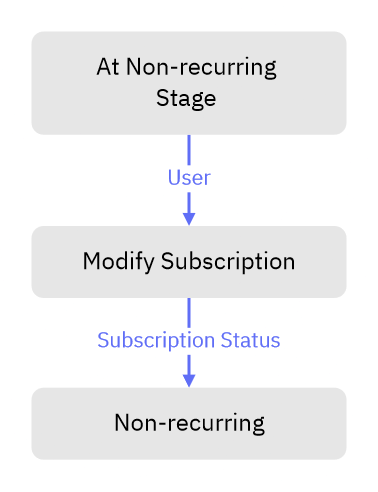
- At Non – recurring (N) stage, user can modify (M) only and status will be remained same as N.
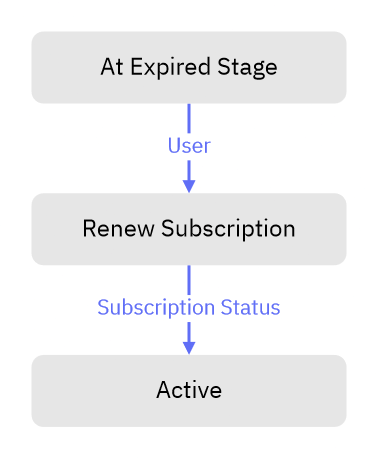
- At expired (X) stage, user can renew only and status will be active (A).
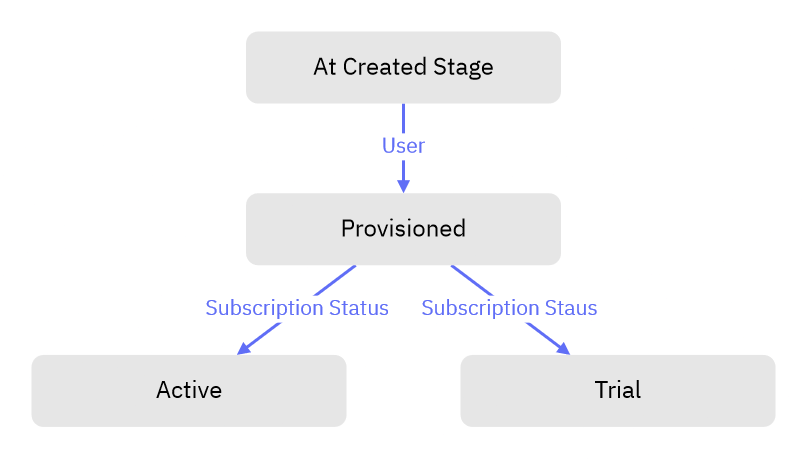
- At created ( C ) stage , user can provisioned and status will be Trial (T) / Active (A).